


This Old House
3.8107.00 Reviews
App Specs
- Version
- 2.0.500017 - P.d5a1cea3d
- Updated On
- License
- Free
- Downloads
- 10,000+
- Developer
- This Old House
- Categories
- House & Home
- Platform
- Android
Screenshots
 Analysis by AppCompare
When I use This Old House as a starting point for a home project, I treat it as a place to learn and plan rather than a substitute for inspecting the actual problem. That distinction matters: a clear explanation can make a repair feel manageable, but the right next step still depends on the age and condition of your home, the tools you own, and whether the work is safe to do yourself. I find the app most useful when I arrive with a specific question, then use its videos and articles to understand the task before buying materials or picking up a tool.
What to expect when you open it
The app comes from This Old House, the home-improvement publisher and TV brand, and is aimed squarely at people who want practical ideas for maintaining or changing a house. It is free to install, rated for Everyone, and has reached over ten thousand installs. Its average rating is 3.8 from more than two hundred ratings, which suggests a mixed but established audience rather than a universally loved experience. The app first appeared on December 10, 2019; its current version is 2.0.500013 - P.a693a2aea, and it requires Android 6.0 or later.
I would not judge its usefulness by how quickly I can swipe through it. Home-improvement material is better when I can pause, check a detail, and compare an explanation with the condition of my own house. The opening experience feels organized, and the broad mix of video and written material gives me more than one way to approach a topic. A short video can help me picture a technique, while an article is easier to revisit when I need to check a sequence or a tool name.
Choosing the right kind of guidance
For a small task, I would start with a focused search or a clearly related article rather than browsing at random. Before I begin, I make a quick note of the symptom, the room, and what I have already checked. That simple habit helps me avoid treating a general tutorial as a diagnosis. If a video shows a repair in a particular setting, I look for the written explanation too, because details such as materials and the order of steps are easier to compare when I can stop and read at my own pace.
The app is particularly appealing when I am trying to build confidence before doing a straightforward job. It can help me learn the names of tools, understand what a task involves, and decide whether I am comfortable taking it on. I would still get advice from a qualified professional for work involving major electrical, structural, or other safety-sensitive issues. A tutorial can explain a process, but it cannot inspect wiring, identify hidden damage, or confirm that a repair is suitable for a specific house.
Using the app as a project companion
One useful way to work with it is to separate research from action. I watch or read first, then write down materials, tools, and any steps that seem uncertain. When I am in a hardware store, that list is more useful than trying to replay a long video from memory. It also gives me a chance to notice when a project depends on equipment or experience I do not have, before I start taking anything apart.
Planning around a real home task
Imagine I notice a draft near a window on a cool evening. Instead of immediately buying a sealant, I would use the app to learn about common ways to address drafts, then check the window and surrounding area in daylight. I would note whether the issue seems to come from a moving part, a gap, or a wider maintenance problem, and compare that observation with the guidance I find. The app can help me frame the question and prepare for a basic fix; it should not make me assume that every draft has the same cause.
Worth Reading Before You Choose

Flipboard Shows What News Apps Must Do Beyond the Feed

Switching to Android Auto Means Rethinking Your Driving Routine

Google Calendar Makes a Crowded Week Easier to Manage

Ludo King Makes the Most of the Minutes Between Plans

Baby Panda World Brings Quick Play to Modern Phones, but Its Game Library Feels Busy

ESPN’s Live Game View Makes Following Close Games Easier
That sort of preparation is a stronger fit for this app than expecting it to function as a project-management system. I would keep measurements, receipts, photos, and a schedule somewhere else, then use the app for instruction and ideas. This division of labor is practical: the learning material stays easy to explore, while the details specific to my home remain in a checklist I control.
Where its content helps—and where it needs context
The video library is a natural place to begin when I need to see how a technique looks in practice. The articles are useful alongside it, especially when I want to slow down and review the explanation without searching through a clip. Tool guidance can also help a beginner understand why a particular tool is used, rather than simply copying a shopping list. I would still compare recommendations with the job in front of me: a tool shown in a broad guide may not be necessary for a small repair, and buying equipment before confirming the task can waste money.
Seasonal project ideas offer another way to use the app. I find them more valuable as prompts than as a schedule to follow blindly. A spring garden task or a winter-preparation suggestion only makes sense if it suits the local weather, the condition of the house, and the time I have available. I would choose one relevant idea and adapt it, rather than treating a seasonal list as a set of obligations.
Speed, stability, and everyday use
In practical terms, I value an app like this for getting me to useful guidance without making research feel like another project. Its clean layout and categorized sections make browsing feel approachable, and the combination of articles and videos gives me a choice when I am reading at a desk or checking a technique while planning a job. How quickly media feels to load can depend on the device and connection, so I would not base a purchase or a repair decision on the assumption that every video will be instantly available in every setting.
For a heavier session—say, comparing several approaches to a renovation—I would take notes as I go rather than relying on memory or repeatedly reopening the same material. That is a small workflow improvement, not a special feature: it helps me keep track of the questions that matter, such as whether the job calls for a certain tool or whether I should stop and ask a professional. If the app feels slow or interrupts my research, I can switch to the written material where available and return to video when I have a better connection or more time.
Who should use it, and what to keep in mind
I would recommend it to homeowners and renters who enjoy learning how household projects work, especially people who want a guided introduction before deciding whether to do a small task themselves. It can also be handy for someone collecting ideas for a future renovation, because browsing examples and advice helps turn a vague plan into better questions. If you mainly need a quick answer about a specific product, a local building requirement, or an urgent repair, a specialist source or a qualified tradesperson may be a better first stop.
It is also worth knowing that the app is free to download but includes in-app purchases priced from $9.99 to $95.99 per item. I would check the purchase details before paying for anything and decide whether the material matches a project I genuinely plan to tackle. The free entry point makes it easy to explore, but it does not mean every piece of content or service is necessarily included at no cost.
Compared with general home-improvement search results, This Old House offers a more focused place to browse a recognizable mix of instructional video, articles, and practical advice. Search engines are often better when I need a very specific answer or several independent viewpoints; this app is more appealing when I want to explore a topic through its own editorial material. Neither approach replaces checking the details of my home, and I would use both when a project carries meaningful safety or cost risks.
Getting Started
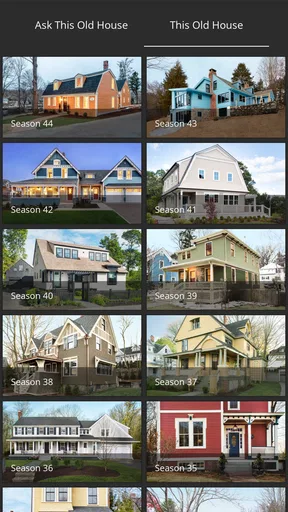
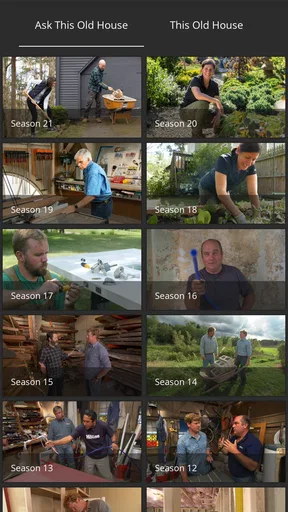
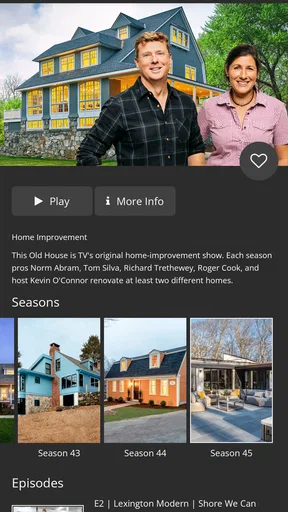
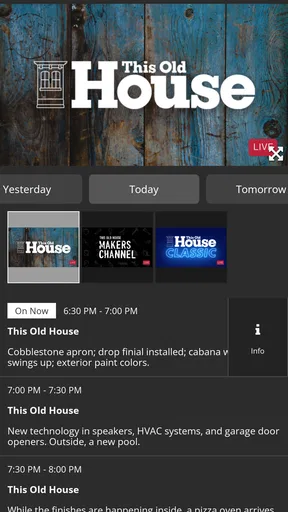
The first thing you’ll notice when you open This Old House is how intuitive the interface is. It’s like stepping into a well-organized workshop. Navigation is a breeze, thanks to the clean layout and well-categorized sections. Whether you’re a DIY newbie or an experienced renovator, finding what you need is straightforward.
Once inside, you're greeted with a plethora of content. From video tutorials to detailed articles, there’s a little bit of everything. I felt like a kid in a candy store, eager to explore all the available resources.
Content Galore
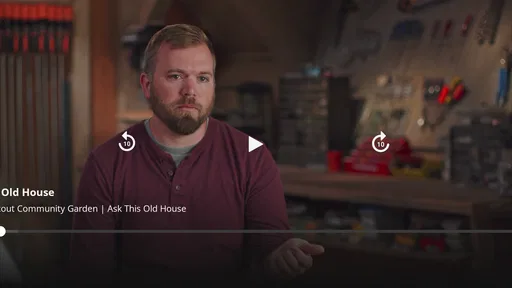
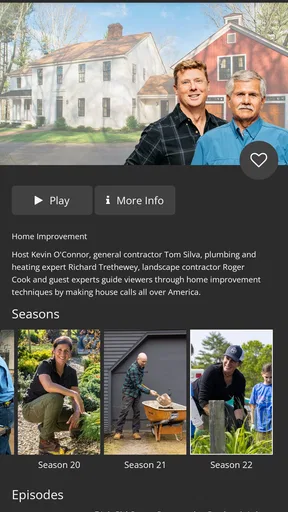
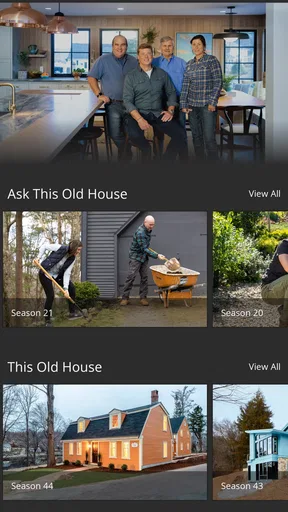
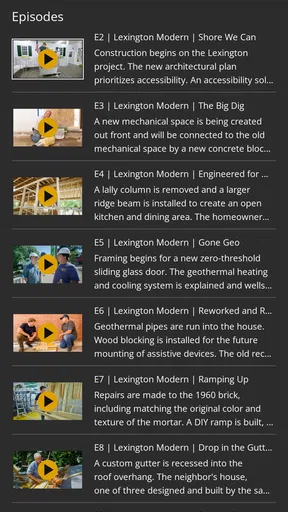
One of the standout features of the app is its extensive video library. Imagine your favorite home improvement TV shows, and then having them all in one place, ready for you to watch at your convenience. The videos are well-produced, engaging, and packed with useful tips. I found myself binge-watching several episodes back-to-back.
But it’s not just videos that make This Old House shine. The app also offers in-depth articles that cover everything from simple repairs to complex renovations. It feels like having a seasoned contractor by your side, guiding you with expert advice.
Tools and Tips
What truly sets This Old House apart is the wealth of practical tips and tool recommendations. The app doesn’t just tell you what to do; it shows you how to do it effectively. I particularly enjoyed the tool guides, which explain not only what tools you need but also how to use them like a pro.
There’s also a handy section dedicated to seasonal projects. Whether it's prepping your home for winter or sprucing up your garden for spring, the app has you covered. It’s like having a seasonal checklist that ensures you never miss a beat.
Community and Interaction
One of the things I absolutely love about This Old House is its active community. The app encourages interaction through forums where users can share their projects, ask questions, and offer advice. It’s a great way to connect with fellow enthusiasts and learn from each other’s experiences.
The community aspect adds a social layer to the app, making it not just a tool but a platform for collaboration. You never feel like you’re tackling a project alone; you’ve got a whole community cheering you on.
Final Thoughts
In the world of home improvement apps, This Old House stands out as a must-have. It combines expert content, practical tips, and a vibrant community into a single, user-friendly package. Whether you’re planning a major renovation or just looking for inspiration, this app is your go-to resource.
So, if you’re ready to roll up your sleeves and transform your living space, give This Old House a try. You’ll find yourself returning to it time and again, not just for the content but for the confidence it instills in your DIY journey.
Pros
- User-friendly interface with easy navigation.
- Extensive library of home improvement videos.
- Regular updates with fresh content.
- Expert advice from seasoned professionals.
- Available offline for on-the-go access.
Cons
- Limited free content; subscription needed.
- Some videos are lengthy and time-consuming.
- Occasional technical glitches reported.
- Requires stable internet for streaming.
- Interface may be cluttered on smaller screens.
FAQs for This Old House
What features does the This Old House app offer?
The This Old House app provides a wealth of features for home improvement enthusiasts. Users gain access to a vast library of how-to videos, expert advice, project guides, and episodes of the popular TV show. The app also includes interactive tools for project planning and budgeting, making it a comprehensive resource for DIY projects.
Is the This Old House app free to use?
The app offers a mix of free and subscription-based content. While many videos and articles are accessible for free, a subscription is required to unlock premium features and exclusive content. Users can opt for a monthly or annual subscription, with the cost varying based on the plan selected.
Can I watch full episodes of This Old House on the app?
Yes, the app allows users to stream full episodes of This Old House and some of its spin-off shows. However, access to full episodes may require a subscription. The app also offers clips and highlights for free, giving users a taste of the content available.
Is the This Old House app available on both Android and iOS?
Absolutely, the This Old House app is available on both Android and iOS platforms. Users can download it from the Google Play Store or the Apple App Store. It’s designed to provide a seamless experience across devices, ensuring accessibility wherever you are.
Does the This Old House app include tools for project planning?
Yes, the app includes several interactive tools to aid in project planning. Users can access budgeting calculators, material lists, and step-by-step project guides. These tools are designed to help users plan their projects efficiently, ensuring they stay on track and within budget.


